
For the days you can’t stop checking
Mihariko is an Android app that keeps an eye on web pages for you. It lets you know only when your condition is met, so you notice changes without checking again and again.
- Price drops and restocks on things you want
- News and merch from artists, shops and creators you follow
- Order shipping and application results
- Openings for grants, classes and housing
- New jobs at companies you like
How it works
-
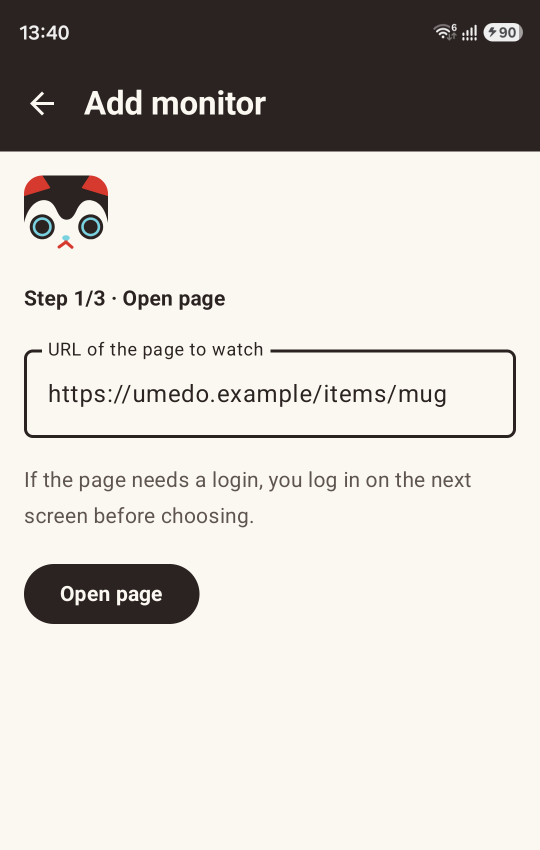
Enter the page URL
If the page needs a login, log in with the in-app browser.
-
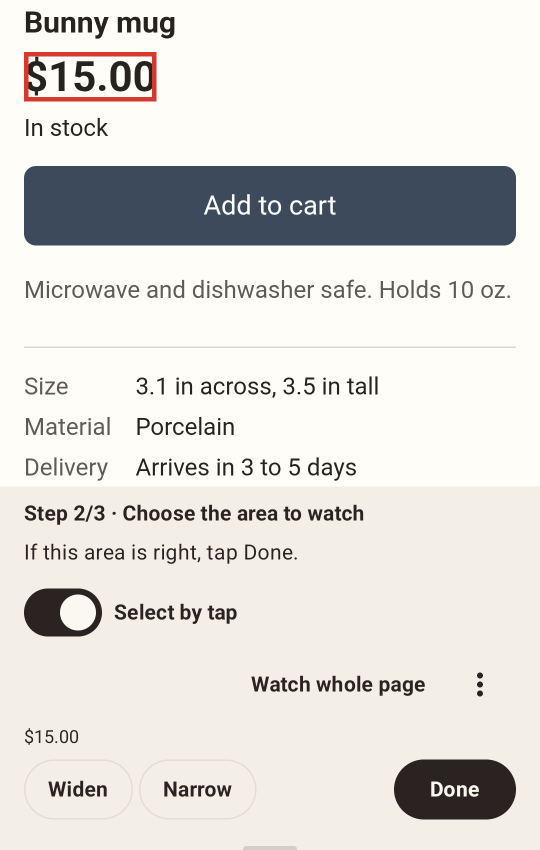
Tap the area to watch
Tap the price, the stock status or any other area of the page.
-
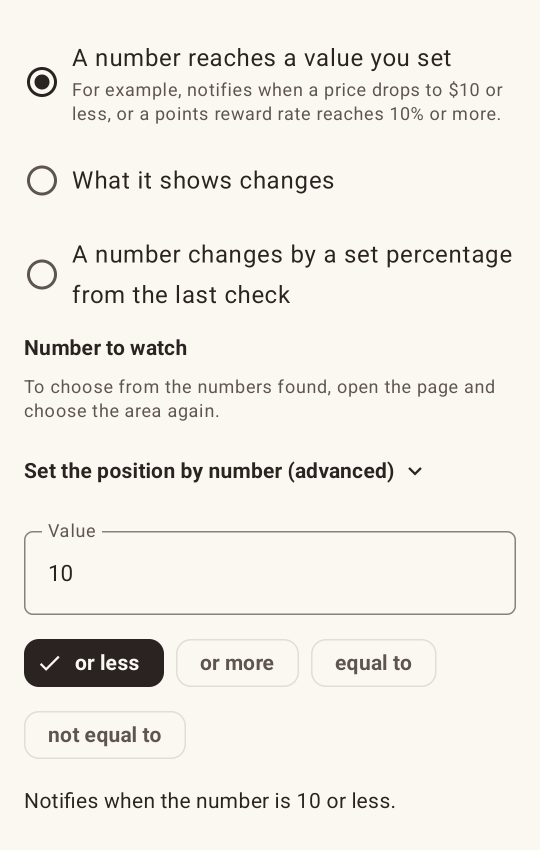
Pick when to be notified
Choose one of the conditions listed below the steps.
-
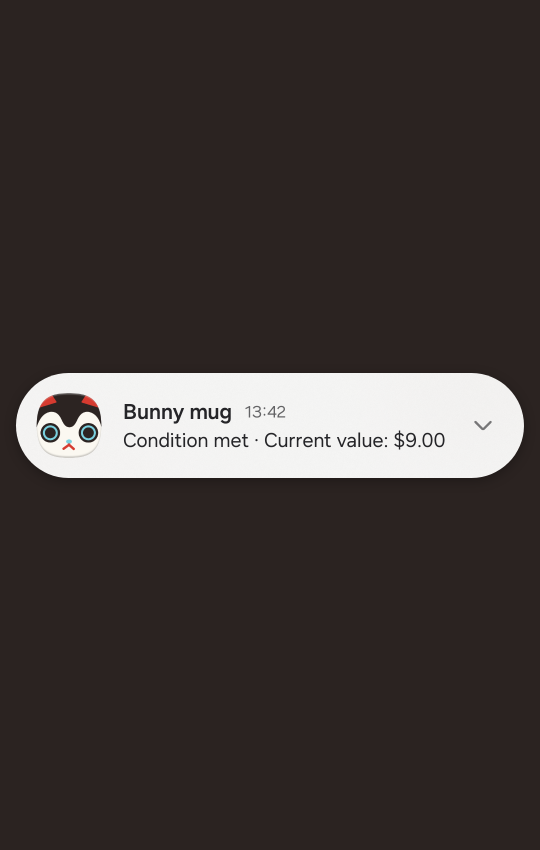
You get a notification
Glance at the notification and open the page only when you need to.
Conditions you can choose
- Text appears
- When “In stock” or “Now booking” appears
- Text disappears
- When “Sold out” is no longer shown
- A number reaches a value you set
- When a price drops to $10 or less, or a points reward rate reaches 10% or more
- What it shows changes
- When a news section or a list of new arrivals is updated
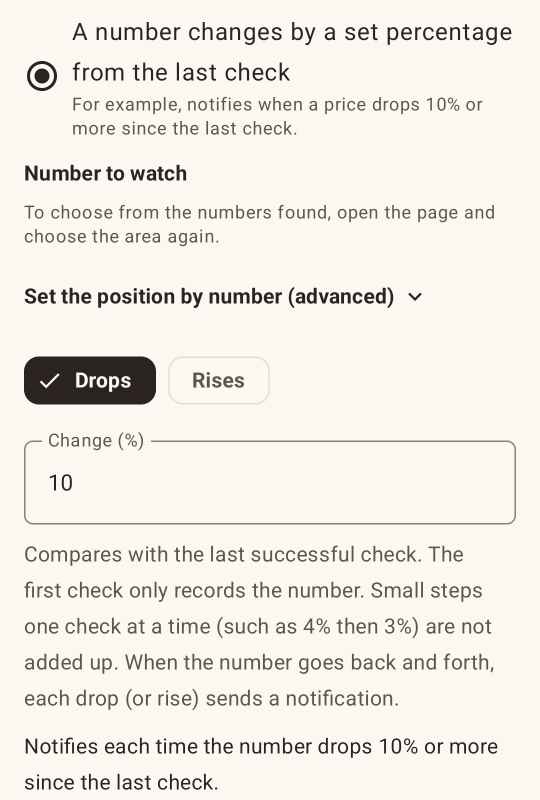
- A number changes by a set percentage from the last check (Pro)
- When a price drops 10% or more since the last check
Keeps watch, right on your phone
At the interval you set, each page is loaded in the background and checked. Nothing opens on your screen, and the watch goes on while you use other apps or the screen is off.
Because pages load on your phone, checks run while it is on and connected.
Protects your privacy
Mihariko has no server to send your information to, and it sends no usage data or crash reports. The pages you watch, what it finds and your logins are stored only on your phone.
Apps that monitor from a server may keep your login and the pages you watch on their server. Mihariko loads pages on your phone, so neither leaves it.
See the privacy policy for details.
What it’s good at
- Watches pages behind a login
- Uses your login session from the in-app browser. Your password is never saved in the app. Because pages load over your phone’s own connection, sites that block traffic from servers or from abroad work too.
- Easy on your phone and on sites
- Pages are loaded one at a time without images, which keeps the load on sites and your data use down. On mobile data, checks can run half as often or not at all.
- Tells you when it can’t check
- If three checks in a row fail (the page won’t load, the watched area is gone, or you seem to be logged out), you get a “Can’t check” notification. If checks stop for a long time, you get a notification and the list shows Stalled.
- Reads prices the way shops write them
- Mihariko reads prices such as $1,234.56, 1.234,56 € or ₹1,23,456 and compares them as numbers.
Free and Pro
The free version watches up to 3 pages, one area each, every 1 to 24 hours. All the basic features are free, and there are no ads.
With Pro, a one-time purchase, you can also:
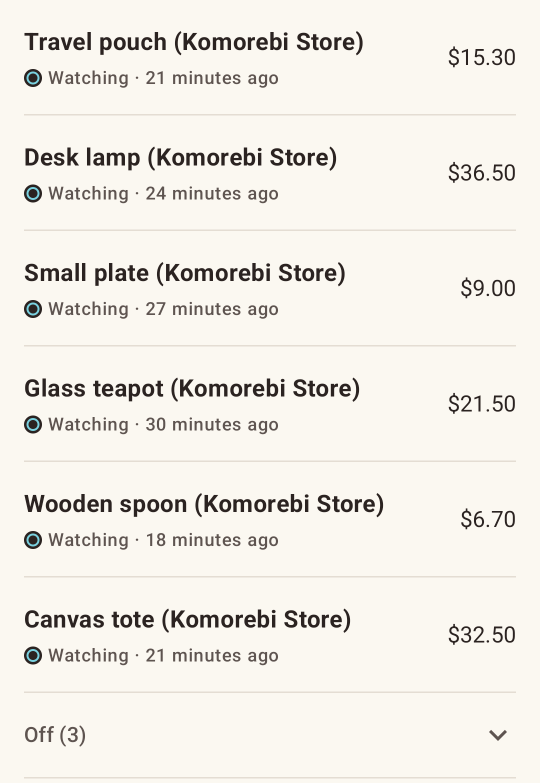
Watch 30 pages at once
When 3 aren’t enough, watch all the pages you care about together.
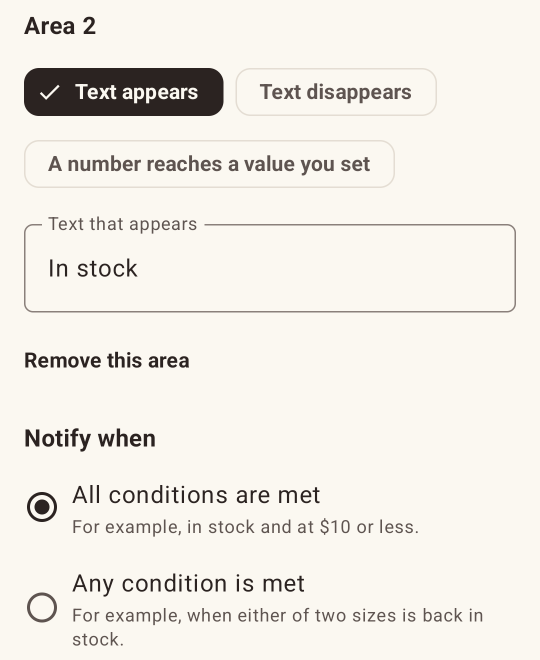
Combine up to 3 areas of a page
Get an alert only when everything lines up, such as “In stock” and a price of $10 or less. You can also get an alert when any one of the conditions is met.
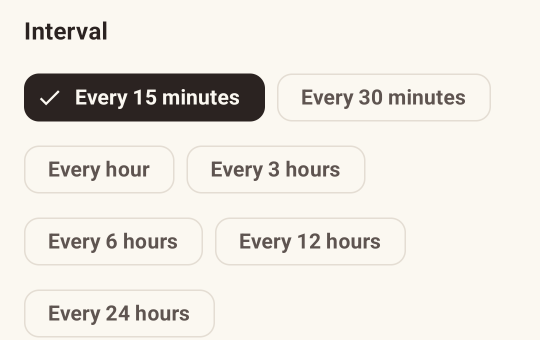
15- and 30-minute intervals
For the pages you want to hear about first, check every 15 or 30 minutes.
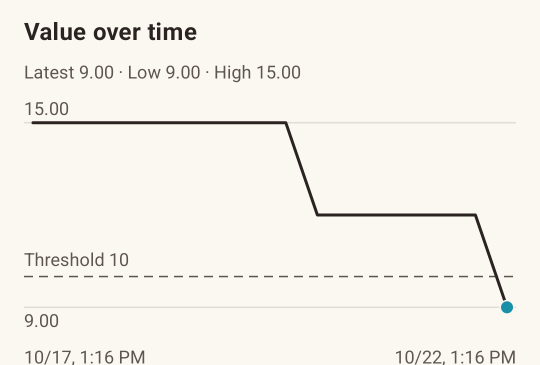
Charts of tracked numbers
Spot the lowest price or the start of a rise at a glance.
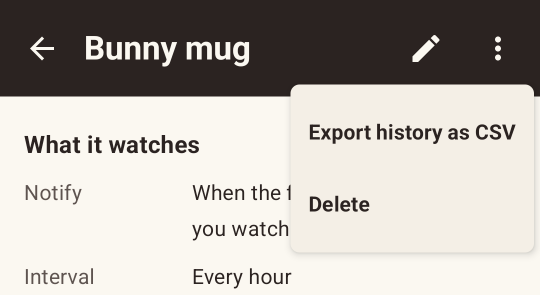
Export the history as CSV
Use the history of checks in a spreadsheet.
Alerts on percentage change
Get an alert only for big moves, such as a drop of 10% or more since the last check.
Questions
Can it watch any page?
Most pages that open in a browser can be watched. Watching doesn’t work in these cases:
- Google account sign-in (not available in in-app browsers, by Google’s policy)
- Text inside embedded frames (iframes) and some special page components
- Pages where you must log in again every time you open them
Are pages checked exactly at the interval?
Intervals are approximate. To save battery, Android holds back apps’ background work while the phone sits unused, so checks can run late. On some phones, checks stop unless the app’s battery use is set to Unrestricted. Content that shows only briefly may also be missed, depending on when the checks run.
Can checks run more often?
The shortest interval is 15 minutes (Pro). Mihariko loads each page on your phone, so shorter intervals use more battery and data and put more load on the sites you watch.
Can I watch more pages at once?
For now, Pro’s 30 is the limit. Android limits how long apps can run in the background, so with more pages, some would not be checked in time. You can save any number of monitors, so switch off the ones you don’t need and swap them in when you do.
Does it use much battery or data?
More pages and shorter intervals use more. On mobile data (or a Wi-Fi network with a data cap), you can check as usual, check half as often (recommended), or not check at all.
What if notifications don’t arrive?
Check that notifications for Mihariko are allowed and that its battery use is set to Unrestricted. If your phone has its own battery saving, exclude Mihariko there too (the app shows the steps for your phone). When checks stop, you get a notification and the list shows Stalled, though the notification may not arrive if the phone has stopped the app.
What if I get a “Can’t check” notification?
It comes after three failed checks in a row, usually for one of three reasons. If you were logged out, tap Open monitored page on the monitor’s screen and log in again. If the price or other area disappeared because the item sold out, checks work again once it’s back in stock. If the page has changed, tap Open the page and choose again on the monitor’s edit screen.
What if I change phones?
In Settings, tap Create a backup to save your monitors’ URLs and conditions and the app’s settings to a file, then tap Import a backup on the new phone. History and logins don’t move, so log in again. Pro carries over to any phone with the same Google account. Uninstalling the app deletes your monitors too, so create a backup before you uninstall it as well.
Please follow the terms of use of the sites you watch.
Requires: Android 8.0 or later with the Google Play Store